

A little clock on a Royal Enfield Meteor 350 can be perfectly healthy even when you expected to see an arrow. The original round Tripper pod needs navigation input from a paired phone. Switch on the motorcycle without an active route and the clock is one of its normal displays. That small detail can save an owner a wasted trip to the workshop.
Highlights
- The small round Tripper shows turn guidance supplied through the Royal Enfield mobile app.
- The next-turn distance and the remaining distance to the destination answer different questions.
- Practise a route with two closely spaced junctions while you already know the way home.
Identify the instrument
This guide concerns a Meteor equipped with the separate round Tripper navigation pod next to the main instrument. Royal Enfield also uses the Tripper name on other displays, including systems that can show a map. Check the hardware on your own bike before following an online tutorial. A missing menu described in a video about a different dashboard can send you looking for a fault that was never there.
The original pod makes sense if you think of the phone as the route planner and the small instrument as the messenger. Royal Enfield’s India quick-start guide describes a Bluetooth connection to its app, with mapping support from Google Maps. A phone paired for music to a helmet is doing a different job. Likewise, a route visible in another navigation app on the phone is no proof that directions are reaching the motorcycle.

Set up before moving
Park somewhere you can take your time. Open the Royal Enfield app, enable the phone functions and permissions it requests for navigation and follow its Tripper pairing process with the ignition on. On a first pairing, match the code displayed by the pod to the app prompt. Pay attention to which unit you select if several Royal Enfields are parked together at a dealership or ride meet.
Choose a destination that is close and unambiguous. A pin on the correct service road is better than the name of a shopping centre with entrances on three sides. Start navigation through the app and check that a direction appears before you put the phone away. This tests the entire chain. Seeing your motorcycle’s name on a Bluetooth device list by itself tests only one link.
Separate the next two turns
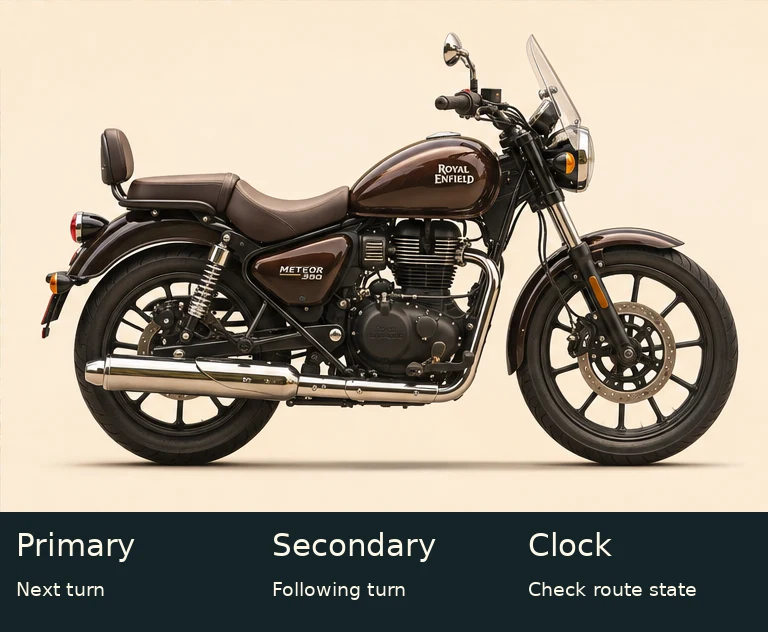
Imagine riding along a main road, turning left into a service lane and then immediately right into the street containing your destination. The primary direction describes the next manoeuvre. A secondary direction, where shown, gives advance notice of the one after it. The smaller cue is particularly useful here because the next decision can arrive almost as soon as you complete the first.
The important distance on approach is the distance to the upcoming turn. The remaining journey distance or expected arrival time serves a different purpose. On a familiar practice route, look briefly at the display before a straightforward junction and check how the instruction changes once you pass it. That is a much kinder introduction than trying to decode an unfamiliar symbol for the first time underneath a flyover in traffic.

When arrows become a clock
Royal Enfield lists several reasons for the clock display, including no connection, no navigation input or arrival at the destination. Begin by asking which one fits what you just did. A clock appearing outside your destination after a successful journey needs a different response from one appearing before you have left the car park. This distinction is especially helpful when explaining an intermittent issue to a dealer.
If guidance vanishes mid-journey, find a safe place to pull over. Look at whether the app still has an active route, whether the phone has enough charge and whether the relevant connection and permissions are available. Note whether directions disappeared exactly when you locked the phone or switched apps. Changing several settings at once makes it harder to discover which condition mattered. Follow the pairing sequence for your own model if the connection needs to be re-established.
Plan for the junction the arrow cannot explain
A direction arrow tells you which way the planned route goes. It supplies much less context about stacked flyovers, blocked lanes or the difference between a road on a bridge and the service road directly below. Preview complicated turns on the larger phone map while parked. A landmark such as a fuel station before a turn is often easier to recognise than an estimated distance alone.
For a longer outing, keep the destination address and a sensible meeting point available if the group splits. One practical fallback is to agree to meet at a named entrance rather than a location pin in the middle of a large venue. A passenger can help identify signs, but the rider still has the final say on the road to take. If you miss an exit, continue to a legal alternative rather than trying to rescue the original turn.
On a Meteor used mainly for familiar city journeys, the most valuable feature may be the brief warning of a second turning when you explore a new neighbourhood. Get comfortable with it on a quiet practice loop, learn what the clock is telling you and keep the detailed planning on the phone while stationary. That is where this modest little instrument earns its place on the handlebar.
Watch the details
Royal Enfield’s Tripper demonstration. Look for the primary direction and the smaller following-turn cue.
Sources and further reading
Royal Enfield’s Meteor rider quick-start guide


